

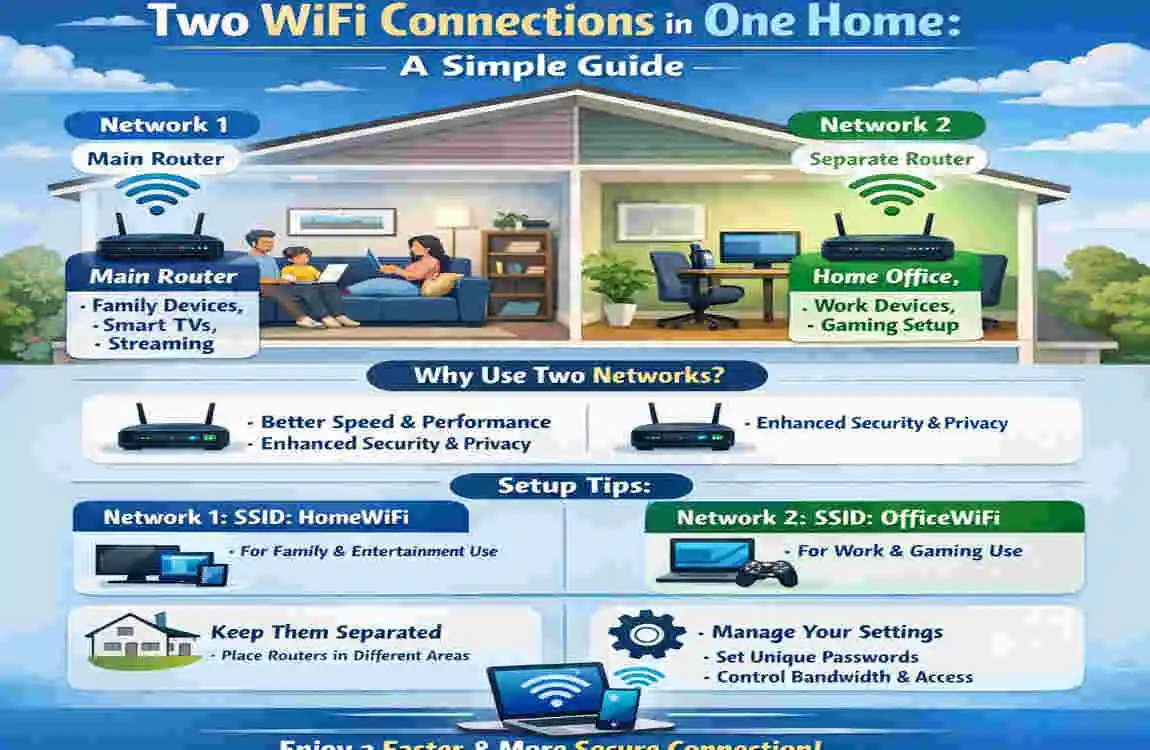
Can you have two different Wi-Fi networks in the same house? Yes, you absolutely can. In fact, many homes use two WiFi networks for better coverage, guest access, smart devices, or to separate work and personal networks.
You can create two networks in a few different ways. You might use two separate internet connections, a second router, a guest WiFi network, or simply separate bands like 2.4 GHz and 5 GHz. The best choice depends on what you need from your home internet setup.
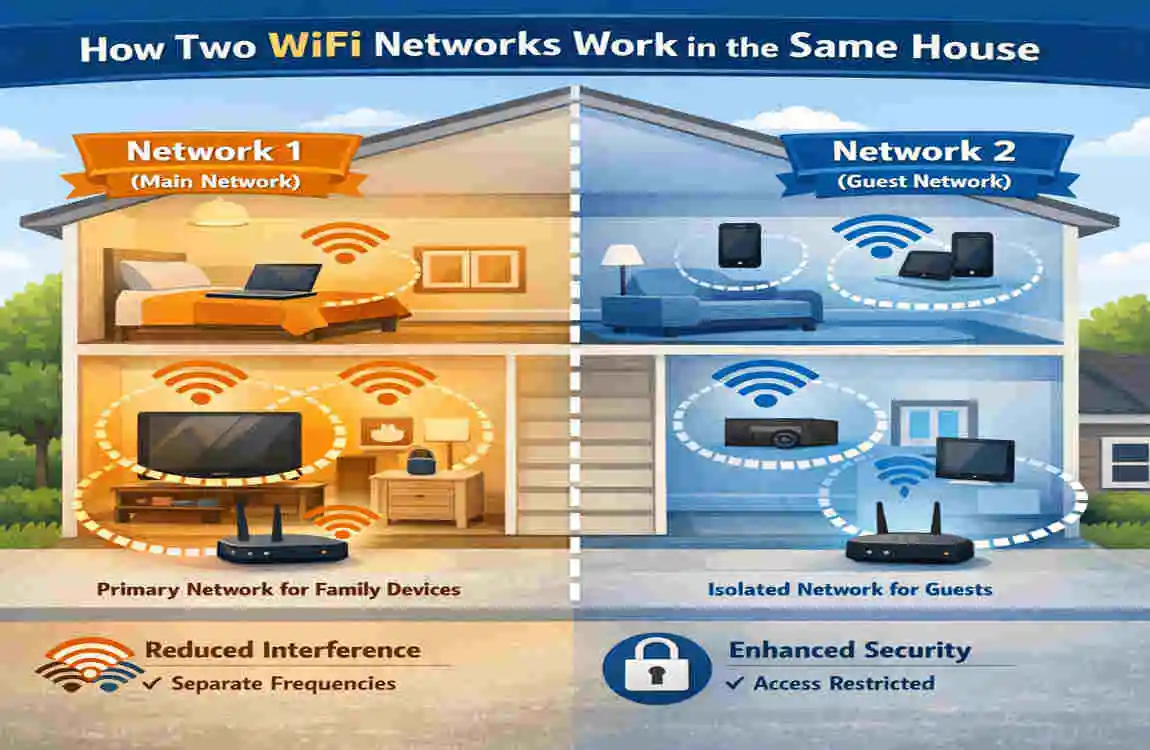
How Two WiFi Networks Work in the Same House
What Is a WiFi Network?
A WiFi network is the wireless connection that lets your devices connect to the internet through a router. The router connects to the modem or internet service and shares that connection with your phone, laptop, TV, and other devices.
So, WiFi and internet service are connected, but they are not the same thing. You can have one internet line and still create multiple WiFi networks from it.
Can Two Routers Work in One House?
Yes. Two routers can work in the same modern home. One router can be the main one, and the second can help extend coverage or create a separate network.
You can either connect the second router to the first one, or give it its own internet connection. Those are two very different setups.
Can Two WiFi Networks Have Different Names and Passwords?
Yes. Each network can have its own WiFi name and password. This is useful if you want to keep guest devices separate from your main devices.
That way, you can choose which network each device connects to.
Do Two WiFi Networks Interfere With Each Other?
Sometimes they can. If two routers are too close together or use crowded channels, they may slow each other down a little.
That said, modern routers with dual-band or tri-band support usually handle this much better.
Best Ways to Set Up Two Different WiFi Networks
Use Two Separate Internet Connections
This is the most independent option. Each router has its own modem or internet service.
It makes sense if you need full separation, such as for a home office, a rental area, or a large household with very different internet needs. The downside is that you usually pay for two internet bills.
Add a Second Router to an Existing Network
This is a common choice. The second router can connect to the main router, often through an Ethernet cable, and then broadcast its own WiFi name and password.
This can improve coverage and help organize devices. But you may need to set it up correctly to avoid network conflicts.
Use a Guest WiFi Network
Many modern routers already include a guest network. This gives visitors their own WiFi access without exposing your main network.
It is simple, secure, and usually enough if your only goal is to separate guests from family devices.
Use Separate Bands or Network Names
Most routers support 2.4 GHz and 5 GHz bands. Some newer ones also support 6 GHz.
You can give each band a different name if you want. This is not the same as two fully separate networks, but it can help you control which devices connect to which networks.
Why You Might Want Two WiFi Networks at Home
Separate Work and Personal Devices
If you work from smart home, a second network can help keep work devices organized. Your laptop, printer, and phone can stay on one network, while family devices stay on another.
This can also add a little extra privacy and structure.
Create a Dedicated Smart Home Network
Smart TVs, cameras, speakers, plugs, and lights can take up a lot of bandwidth. Some people prefer keeping these devices on a separate network.
That can make management easier, though some smart devices need to be on the same network as your phone to work properly.
Provide WiFi for Guests
A guest network is one of the easiest reasons to have two WiFi connections. It keeps your main password private and limits access to your personal devices.
Improve Coverage in a Large Home
A second router or access point can help extend the signal to rooms where the signal is weak. This is often better than relying on a single router in one corner of the house.
Support Different Internet Needs
If one person is gaming, another is streaming, and someone else is working, separate networks or separate internet lines may help better organize traffic.
Still, two WiFi networks do not automatically mean faster internet.
How to Set Up Two WiFi Networks Safely
Choose the Right Equipment
Before you start, think about:
- Home size
- Number of devices
- Internet speed
- Budget
- Ethernet availability
- Security needs
A guest network is easiest. A second router or mesh system is better for bigger homes.
Connect the Second Router Correctly
If you use a second router, set it up carefully.
Basic steps:
- Connect it to the main router or modem
- Log into the router settings
- Change the default admin password
- Set a new WiFi name and password
- Choose router mode or access-point mode
Avoid IP Address Conflicts
If two routers use the same local settings, they can confuse your devices. This may cause connection drops or setup problems.
That is why the second router may need a different IP range if it is acting as a router in its own right.
Manage WiFi Channels and Placement
Keep routers away from thick walls, metal, microwaves, and other electronics that can cause interference.
Good placement can make a big difference in performance.
Secure Both Networks
Use strong passwords on both networks. Also:
- Update router firmware
- Change default login details
- Use modern security settings
- Avoid sharing your main password too often
Common Problems With Having Two WiFi Networks
Slow Internet Despite Having Two Networks
Two WiFi networks do not always mean more speed. If both networks use the same internet line, they still share the same bandwidth.
Devices Cannot Communicate With Each Other.
Some separate networks block devices from seeing each other. That can be useful for security, but it may cause problems for printers, smart speakers, or shared storage.
WiFi Keeps Disconnecting
This can happen due to poor placement, outdated firmware, interference, or an overloaded router.
Two Routers Cause Network Confusion
If both routers are in the wrong mode, you may get double NAT or DHCP conflicts. That sounds technical, but it simply means the routers may be fighting over network control.
Smart Devices Will Not Connect
Some smart home devices only work on 2.4 GHz or require your phone and device to be on the same network. Check that before assuming the device is faulty.
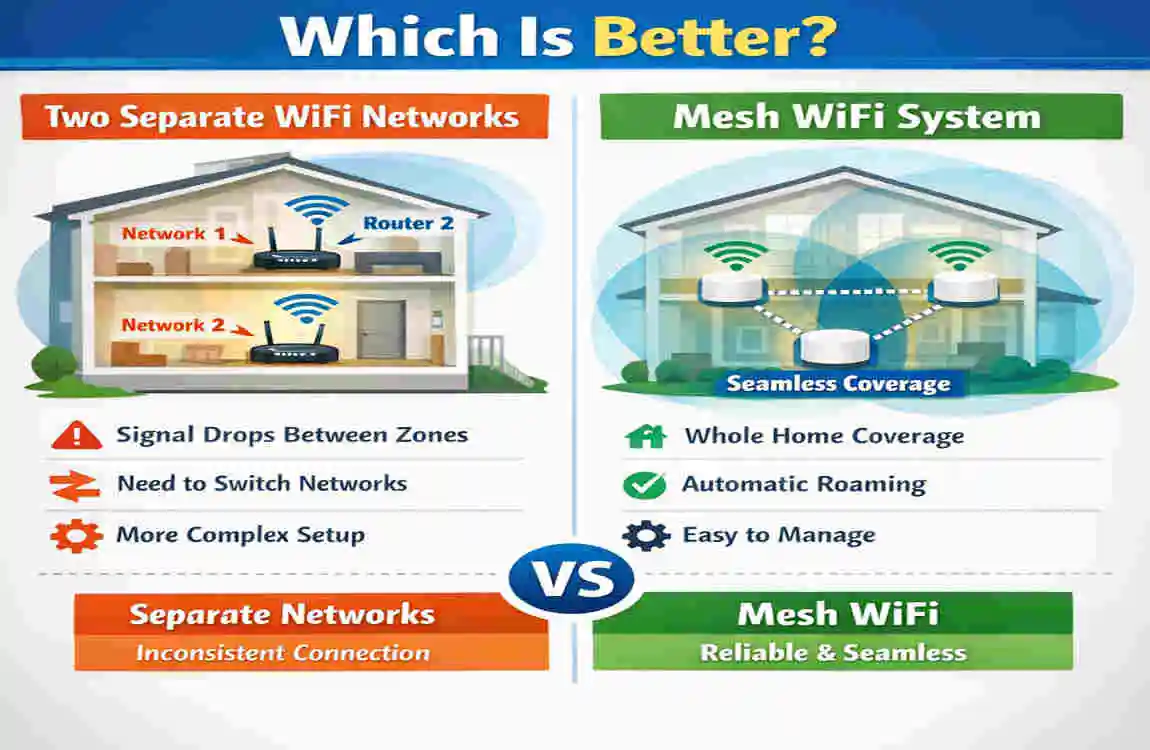
Two WiFi Networks vs. Mesh WiFi: Which Is Better?
SetupSeparate WiFi NameSeparate InternetBest For
Two internet connections Yes Yes Independent networks
Two routers Yes Usually no Advanced home setups
Access point Usually No Better coverage
Guest network Yes No Visitors
Mesh WiFi Usually one system No Whole-home coverage
Two Independent WiFi Networks
Best if you truly need separate networks. This is the most flexible option, but also the most expensive.
Second Router or Access Point
Good for improving coverage in a large home. An access point is often simpler than using a full second router.
Mesh WiFi System
A mesh system is great if you want smooth coverage throughout the house without managing several separate networks.
Guest Network
If your main goal is to give visitors internet access, this is usually the easiest choice.
Frequently Asked Questions
Can you have two different Wi-Fi networks in the same house?
Yes. You can create two WiFi networks using a guest network, a second router, a mesh system, or a separate internet connection.
Can two WiFi routers work in the same house?
Yes, but they should be configured properly to avoid conflicts.
Does having two WiFi networks make internet faster?
No, not by itself. Two WiFi networks can still share the same internet line.
Can I have two WiFi networks from one router?
Yes. Many routers support guest networks or multiple WiFi names.
Is it better to have two routers or a mesh WiFi system?
It depends. Mesh is usually better for whole-home coverage, while two routers are better for separate network setups.
Can two WiFi networks interfere with each other?
Yes, if the routers are too close or using crowded channels.
Can I use one WiFi network for guests and another for my family?
Yes, a guest network is made for that purpose.
Can I have two different internet providers in one house?
Yes, if service is available and you want fully separate connections.
| Topic | Key Information |
|---|---|
| Two WiFi Connections | You can use two separate WiFi networks in one home with different routers or internet services. |
| Why Use Two? | Helps reduce network congestion and provides a backup connection if one internet service fails. |
| Separate Devices | One network can handle work devices while the other serves streaming, gaming, or smart-home devices. |
| Better Coverage | Placing routers in different areas can improve WiFi coverage, especially in larger homes. |
| Guest Network | A second network can provide visitors with internet access without giving them access to your main network. |
| Setup | Connect each router to its own internet connection, or configure one router as an access point when appropriate. |
| Important Tip | Use different WiFi names and channels to reduce interference and make each connection easy to identify. |
